10 Web Design Errors and How to Fix Them
Your website is often the first and only chance you get to impress a potential customer. It serves as your brand ambassador, lead generator, and sales engine all rolled into one. Yet, many businesses make critical web design errors that drastically lower their conversion rates.
Conversion Rate Optimization (CRO) is the practice of enhancing your website to increase the percentage of visitors who complete desired actions, whether that’s filling out a form, purchasing a product, or signing up for a newsletter. With effective CRO, you turn passive visitors into engaged customers.
Here are the ten most common web design mistakes and strategies to fix them. It is for all kinds of users and website owners. For more related tips, read our blog on SEO Design Strategies.

1. Slow Page Load Times
A delay of even a second in page load time can make users abandon your site. According to Google, if your website takes more than three seconds to load, over 50% of mobile users will leave your Web Design.
Why It Matters
Slow-loading pages frustrate users and send negative signals to search engines. Poor speed leads to high bounce rates.
Fix:
- Optimize images using tools like TinyPNG.
- Minimize CSS and JavaScript files.
- Use caching plugins like W3 Total Cache.
- Implement lazy loading for media.
- Use a reliable hosting provider with good server speed.
- Employ a Content Delivery Network (CDN) to serve content efficiently.
Pro Tip: Regularly run your website through Google PageSpeed Insights to identify performance issues.
Explore how to optimize your load speed with our Website Speed Tips.
2. Complicated Navigation
Visitors should be able to find what they need within a few seconds. If your website’s navigation is confusing or buried under layers of menus, you risk losing valuable leads.
Why It Matters
Effective navigation keeps visitors engaged and increases the likelihood that they will complete a conversion action.
Fix:
- Use a logical hierarchy with clear categories.
- Keep the number of top-level menu items between five and seven.
- Use breadcrumbs
- Include a search bar.
- Design mobile-friendly dropdowns and hamburger menus.
Example: Visit our Web Design Services page to see a clean and simple navigation structure.
Navigation is another challenge. Read our guide to User-Friendly Website Navigation.

3. Non-Responsive Design
With over 60% of web traffic coming from mobile devices, a website that isn’t mobile-friendly is essentially shutting out a major portion of its audience.
Why It Matters
Google’s mobile-first indexing prioritizes mobile-optimized sites. Poor mobile indexing can reduce user.
Fix:
- Use responsive frameworks like Bootstrap.
- Test your website on devices of all screen sizes.
- Adjust touch targets for mobile.
- Use scalable vector graphics (SVGs) and flexible grid layouts.
- Test using Google’s Mobile-Friendly Tool.
Pro Tip: Responsive design not only improves usability but also boosts your SEO rankings.
4. Weak Call-to-Action (CTA) Buttons
Your CTA is the bridge between visitor interest and conversion. If it’s buried, bland, or confusing, users won’t act.
Why It Matters
A strong CTA directs visitors to take action. Without it, your site lacks focus and fails to convert.
Fix:
- Use action-driven text like “Get Started,” “Claim Your Free Trial,” or “Download Now.”
- Design buttons with contrasting colours.
- Position CTAs prominently, like above the fold and at the end of content sections.
- Test different wording and placements through A/B testing.
Website Conversion Tip: Highlight your CTA on every key page, especially product and landing pages.
External Link: HubSpot’s Guide to Writing CTAs offers great examples that convert.
5. Unclear Value Proposition
Your value proposition is your elevator pitch. If it’s not immediately obvious, users will leave for a competitor.
Why It Matters
An unclear value proposition means your visitors don’t know what problem you solve or why they should choose you.
Fix:
- Use a compelling headline that answers: “What’s in it for me?”
- Include bullet points summarizing key benefits.
- Add a short video
- Use testimonials
Learn how to craft persuasive messaging with our Conversion Optimization Guide.
6. Too Much Text / Lack of Readability
Long blocks of dense text discourage readers and hide your key messages.
Why It Matters
Most web users skim, so your content needs to be scannable and easy to digest.
Fix:
- Use headings, bullet points, and numbered lists.
- Keep paragraphs under 3–4 lines.
- Use plain, jargon-free language.
- Choose high-contrast font colors.
- Add visuals
Example: Websvent’s homepage uses short text blocks and infographics to convey complex ideas quickly.
External Link: Readability Guidelines from W3C offer helpful tips.
7. Lack of Trust Signals
Users are hesitant to engage with a site they don’t trust, especially if you’re collecting payment or personal data.
Why It Matters
Trust is a prerequisite for conversion. No trust = no sale.
Fix:
- Display client logos and testimonials.
- Include SSL certificates and secure payment icons.
- Provide easy access to contact info and a physical address.
- Add reviews
External Link: Nielsen Norman Group provides excellent insights on building website trust.
8. Confusing or Overcomplicated Forms
Online forms are a critical conversion point—but if they’re confusing or ask for too much, users abandon them.
Why It Matters
Each additional field in a form reduces completion rates. According to a study by HubSpot, conversion rates improve by up to 50% when the number of form fields is reduced from four to three.
Fix:
- Only ask for essential information.
- Use multi-step forms
- Add tooltips
- Use conditional logic to show/hide relevant fields.
- Implement autofill and real-time validation.
Website Conversion Tip: Use analytics to find where users drop off during form submission.
External Link: Form Design Best Practices by Baymard Institute.
9. Poor Visual Hierarchy
When every element on a page shouts for attention, nothing gets noticed.
Why It Matters
Good visual hierarchy helps users scan content and focus on key messages, which increases conversion rates. For example, imagine a landing page where every element is the same size and colour, your eyes don’t know where to go. Now, compare that to a layout where the headline is bold and large, the CTA button stands out in a bright colour, and the supporting text is smaller and less prominent. The second layout naturally guides the viewer’s attention in the right order.
Fix:
- Use size, weight, and colour to show importance.
- Align elements consistently.
- Guide the eye with directional cues (arrows, images, layout flow).
- Use whitespace effectively to prevent clutter.
Example: Compare your layout to top-performing pages on Behance for design inspiration.
10. Brand inconsistency Design
Brand inconsistency confuses visitors and makes your business look unprofessional.
Why It Matters
A consistent brand experience builds recognition and trust, critical components of conversion.
Fix:
- Create a style guide with rules for fonts, colours, and tone.
- Ensure consistency across all web pages.
- Align visuals with your brand message.
- Use the same logo positioning, colour palette, and voice across channels.
Pro Tip: Consistency also improves SEO as it signals reliability to both users and search engines.
Bonus Tip: Lack of Analytics and Tracking
You can’t fix what you can’t measure. Use analytics tools to understand visitor behaviour.
Fix:
Install Google Analytics or GA4
Google Analytics (GA) and its latest version, GA4, are powerful tools that collect data on how visitors use your website. They show you things like how many people visit, where they come from, and which pages they spend the most time on. With GA4, you can also see what actions people take, like clicking buttons, watching videos, or filling out forms.
Use Tools Like Hotjar or Crazy Egg for Heatmaps and Session Recordings
Heatmaps visually show where users click, scroll, or hover on your site. Session recordings let you watch real visitors’ actions on your website. With Hotjar and Crazy Egg, you can watch how visitors move through your site.
You can see which parts of your page are working well and which parts are causing trouble. For example, if visitors don’t click certain buttons or get confused by the layout, you can find out easily.
Track KPIs Like Bounce Rate, Exit Rate, and Conversion Funnels
Key Performance Indicators (KPIs) are important numbers that tell you how your site performs.
- Bounce rate shows the percentage of visitors who leave your site after viewing only one page, which may indicate they didn’t find what they wanted.
- The exit rate tells you the percentage of users who leave your site.
- Conversion funnels track the steps visitors take toward completing an action, like making a purchase. Monitoring these KPIs lets you pinpoint where visitors drop off and what needs fixing.
Use A/B Testing Tools Like Google Optimize or Optimizely to Improve Based on Real Data
A/B testing means showing two different versions of a webpage to visitors to see which one performs better. Tools like Google Optimize and Optimizely let you test changes such as different headlines, button colours, or layouts.
Here, Websvent’s analytics integration services get started with data-driven design.
Improving website design for conversions
Improving your website design to boost conversions means creating a site that’s easy to use, fast, and clear. When visitors can quickly find what they need and understand your offer, they’re more likely to take action—whether that’s buying a product, signing up, or contacting you. Simple navigation, strong calls-to-action, and a clean, trustworthy look all work together to turn casual visitors into loyal customers.
Conclusion
Let’s recap the key web design errors to avoid:
- Slow page load times
- Complicated navigation
- Non-responsive design
- Weak CTA buttons
- Unclear value proposition
- Too much text
- Lack of trust signals
- Confusing forms
- Poor visual hierarchy
- Inconsistent branding
- No analytics tracking
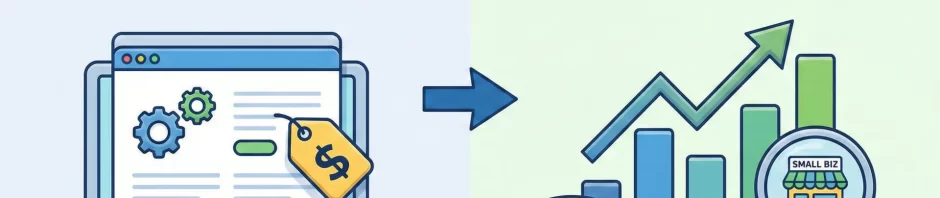
Fixing these issues will not only increase conversions but also improve SEO, user satisfaction, and customer retention.
Fixing web design errors helps more visitors complete key actions like buying products or signing up, which directly boosts your sales and leads.
- Better SEO
- Search engines prefer fast, easy-to-use websites, and SEO helps a lot. SEO helps your website show up higher on search engines like Google. Search engines love fast, easy-to-use websites. So more people can find and visit your site.
A smooth, fast, and visually clear website keeps visitors happy and engaged, encouraging them to explore more pages. When a website looks good, loads quickly, and is easy to use, people enjoy being on it. They stay longer and check out more pages
When visitors have a positive experience on your website, they’re much more likely to come back again. Happy users tend to stick around longer and build a connection with your brand, which helps grow your business steadily over time.
For guaranteed results, you can contact Websvent. We provide comprehensive web design auditing and custom conversion strategies.






 Seo Manager
  April 3, 2026