The Future of Web Development Why Progressive Enhancement Matters

Introduction to Progressive Enhancement
Progressive enhancement is a strategy used in web development that ensures every user can access a website’s content, even if their device or browser is old or their internet connection is slow. The idea is simple: start with a basic but fully functional website, then add extra features for users with better technology.
This approach is closely linked to mobile-first design, where we design for small screens first and then make the site better for larger screens. It also means using easy-to-read HTML. As Sparkbox explains, the goal is to build websites so “users can view content in every context, whether in the browser, with a screen reader, or just when they have a slow internet connection” (source: Sparkbox).
In this post, we’ll explore why progressive enhancement is important in web development, its main principles, and how it helps both users and businesses. You can also learn more on the Websvent blog.
Why Progressive Enhancement Matters in Web Development
Progressive enhancement is important because all kinds of people and devices use the web. There are smartphones, tablets, laptops, and even tools like voice assistants and screen readers in all gadgets. Hence, we need websites that work for everyone on all devices. Here’s why progressive enhancement matters:

Web Accessibility
Everyone should be able to use a website, no matter what device or technology they have. Progressive enhancement “inherently promotes accessibility by starting with a strong, semantic HTML foundation” (source: PixelFreeStudio). This means users who rely on screen readers or have disabilities can still access the core content. It also follows guidelines like WCAG, which emphasize making content available to all users, e.g., for the blind and deaf.
Cross-Browser Compatibility
Not all browsers are the same. Some may have features that others don’t. By focusing on basic functionality first, your site will work on older browsers, too. As MDN notes, progressive enhancement is useful for making sites work on “multiple unknown user agents” (source: MDN).
You can use feature detection to check if a browser supports certain features and provide a simpler fallback if it doesn’t (source: Mozilla). This means fewer “site requires Chrome” messages and fewer broken pages.
Performance (Core Web Vitals)
Websites built with progressive enhancement load faster. PixelFreeStudio explains that since enhancements only load when needed, “the basic version of your site is designed to work with minimal resources, so it loads quickly” (source: PixelFreeStudio).
Faster pages reduce bounce rates (more than 50% of mobile users leave if a site takes more than 3 seconds to load) and improve Core Web Vitals, which is important for SEO. As PixelFreeStudio points out, search engines “prioritize content that is accessible and easy to read,” and faster sites rank higher.
Mobile-First Readiness
Most web traffic now comes from mobile devices, so designing for small screens first is essential. UXPin notes that mobile-first design “is a tenet of progressive enhancement” – you start with basic features for mobile and then add more for larger screens. This ensures the site works great on smartphones by default.
Future-Proofing websites
Technology is changing with time. New CSS and JavaScript features are added all the time. Progressive enhancement helps future-proof your website by sticking to standards and only adding new features where supported. This way, your site will still work when browsers are updated or new devices come out, without needing an expensive redesign.
Better User Experience
Progressive enhancement creates a better experience for all users. Those with older browsers or poor internet connections will still be able to view the basic content, while users with modern browsers get more interactive features.
Google promotes this idea in its Progressive Web App guidance, stating that PWAs “work for every user, regardless of browser choice because they’re built with progressive enhancement as a core tenet” (source: Addy Osmani).
In short, progressive enhancement makes websites faster, more accessible, and more reliable on all devices.
The Core Principles of Progressive Enhancement

There are a few key principles behind progressive enhancement. You can think of it like building a house – you start with a strong foundation, then add extra layers:
- Content (Semantic HTML) First: Start with clean HTML that includes your main text, images, and links. This ensures that everyone gets the core message, even if the site doesn’t load all its features. For example, use proper HTML tags like <h1>, <p>, and <button>. If CSS or JavaScript fails, the text and images still appear.
- Functionality: Next, add simple CSS and JavaScript to make the site look good and interactive on all devices. For instance, use basic navigation menus that work without JavaScript.
- Enhanced Experiences: Finally, add advanced features for modern browsers, such as animations, interactive elements, or new HTML5 APIs.
Example: Simple Navigation Menu
Here’s an example of a simple navigation menu in HTML:
html
CopyEdit
<nav>
<ul>
<li><a href=”/”>Home</a></li>
<li><a href=”/about”>About</a></li>
<li><a href=”/contact”>Contact</a></li>
</ul>
</nav>
Even if CSS or JavaScript isn’t loaded, this menu still works.
Example: Basic CSS
CSS
CopyEdit
@media (max-width: 600px) {
nav ul {
flex-direction: column;
}
}
This simple CSS ensures the navigation adapts to different screen sizes.
Benefits of Progressive Enhancement
There are several benefits to building websites with progressive enhancement:
- Improved Accessibility: Everyone, including people with disabilities, can use the site because the content is always accessible.
- Better Website Performance: Sites load faster, improving user experience and boosting SEO.
- Responsive & Mobile-Friendly: The site works well on all devices, ensuring a smooth experience for users.
- Cross-Browser Compatibility: The site works on all browsers, old or new.
- Future-Proofing: Your site stays functional and accessible as technology evolves.
- Search Engine Optimization (SEO): Clean HTML makes it easier for search engines to read and rank your content.
How to Implement Progressive Enhancement
Here’s how you can start using progressive enhancement in your web development:
- Start with Semantic HTML: Write clean HTML that includes all your main content.
- Add Basic CSS: Style the page with simple CSS, using media queries for responsiveness.
- Enhance with Advanced CSS/JavaScript: Once the basics are covered, add advanced features like animations and interactive elements, ensuring they only work on supported browsers.
- Test Early and Often: Regularly check your site in different browsers, on different devices, and with JavaScript off to make sure the core content is still accessible.
Common Challenges and How to Overcome Them
There are some challenges when implementing progressive enhancement, but they can be overcome:
- Perceived Complexity: Some developers might think it’s extra work, but using frameworks and tools can make it easier.
- Testing Overhead: Automate testing with tools like BrowserStack to test across different browsers and devices.
- Frameworks and SPAs: Single-page apps (SPAs) can still be built with progressive enhancement by providing a basic HTML fallback before adding JavaScript.
- Legacy Systems: Update old systems gradually, applying progressive enhancement to new features first.
Case Study: Implementing Progressive Enhancement
Let’s look at two examples:
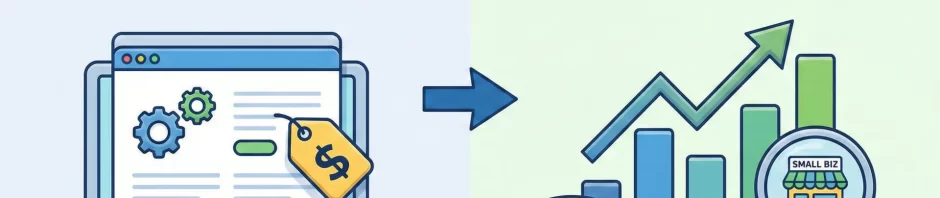
- Eco-Friendly Apparel Store: After overhauling their site with progressive enhancement, mobile pages loaded faster, and their mobile conversion rate increased by 45%.
- Local Service Business: A booking form that worked only on desktop Chrome was fixed with a basic HTML form, leading to a 25% increase in inquiries.

The Future of Web Development and PE
Looking ahead, progressive enhancement will remain a key part of web development. Even with the rise of powerful frameworks and tools, the foundation of any good website will always be clean, semantic HTML, and a focus on performance and accessibility.
How Websvent Implement PE?
In sum, progressive enhancement fits naturally into future trends: it underpins mobile-first, PWA, accessibility, and performance optimization.
Websvent can help you build fast, accessible, and future-ready websites by using progressive enhancement as a core strategy. Our team starts with clean, semantic HTML to ensure your content is visible and functional on every device and browser, even in low-connectivity conditions.
Then, we layer in advanced features like responsive design, modern JavaScript frameworks, and performance optimizations—only where supported—to deliver the best user experience possible. Whether you’re launching a new site or improving an existing one, Websvent ensures your web presence is inclusive, SEO-friendly, and built to last.
Let’s build something great together – schedule your free consultation.
Share Your Thoughts & Keep Learning
Have you used progressive enhancement in your projects? Faced any challenges or found creative solutions? Leave a comment below — we’d love to hear your experiences!
Want to stay updated on the latest web development practices?
Subscribe to our blog for more insights, tutorials, and expert tips.
Interested in learning more?
Sign up for our upcoming webinar on future-ready web development strategies — spaces are limited!






 Seo Manager
  April 3, 2026